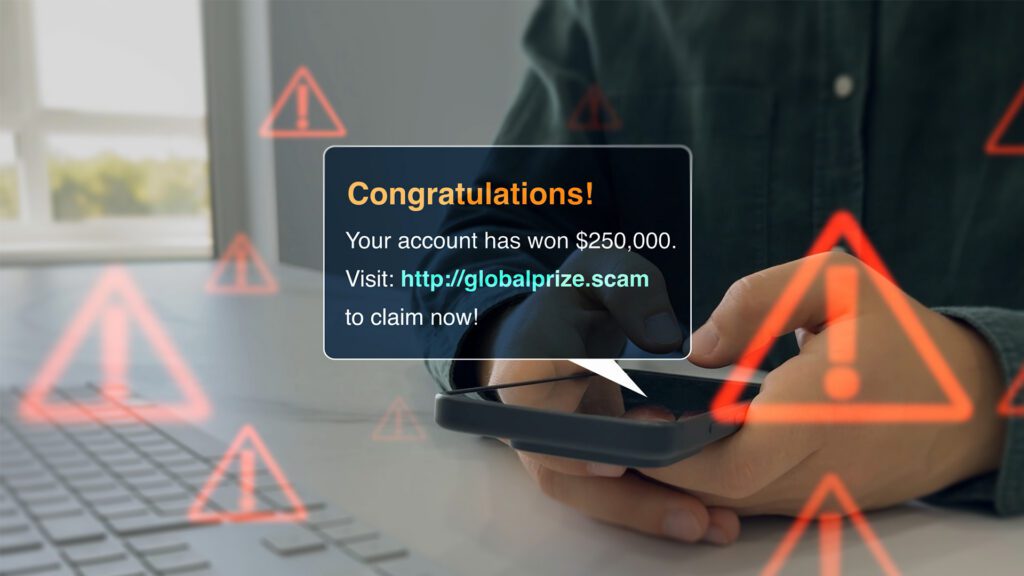
I recently received an alert on my phone saying that someone had tried to change the recovery phone number on my Gmail account. I looked at the alert and it said the attempted connection was from somewhere in the western part of the United States. Since it obviously wasn’t me who tried to make the change, I hit the DENY button to reject and block the connection. Half an hour later I received a phone call from someone claiming to be part of the Google Security Team, notifying me that my account had been hacked and offering to help me secure it. Now this is where the red flags started to come up. First, I was informed that the supposed hacker was in Germany (this conflicted with the security alert I received on my phone saying the attempt was made from the United States). Next, he sent me a couple of email notifications and tried to instruct me on steps to take to access Google’s security page to deny the attempted connection to my account. Both of the emails, while they looked legitimate, were unquestionably fraudulent. I looked at who the emails were sent “To:” and neither of them were sent to my email address. I won’t get into all the technical details at this time as I could go on and on about them if allowed to do so, but I will try to simplify the story I’m trying to tell you by identifying a couple of key points for awareness and action should something similar happen to you.
1. First and foremost, no one from these companies (Google, Microsoft, etc.) is going to call you (an individual) directly to tell you your account has been hacked.
2. If you receive an alert about a change being made to your account and you didn’t just make a change, DENY the connection.
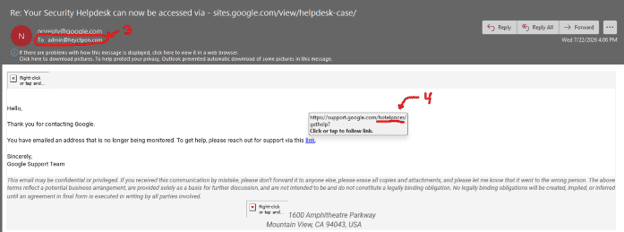
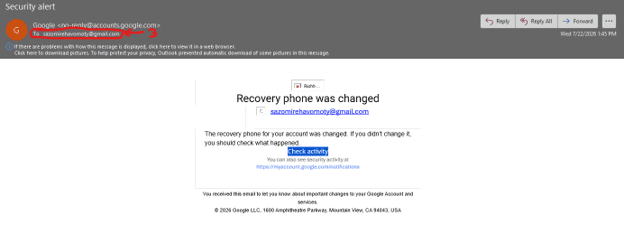
3. If you receive an email notification, look closely at the “To:” line. If the email wasn’t sent to you directly or has additional recipients shown on it, then it’s not real and you should mark it as Spam or Junk.
4. Do not click on the links in emails. Enter URL directly into your web browser to connect to the site you want to go to (you can hover over the link in the email with the cursor on your computer to see where it points to without having to actually click on it).
5. Do NOT provide any personal information via email or over the phone to someone who has blindly reached out to you such as in the situation I’ve described.
These images show the 2 fake emails I received. I’ve labeled a couple of items corresponding with the preceding list to help provide examples of what to look for.
Being aware of these red flags can go a long way in protecting your information online. I have over 25 years of experience in the IT industry, please reach out with questions or for other home and small business tech needs.
Any content, resident submissions, guest columns, advertisements, and advertorials are not necessarily endorsed by or represent the views of Best Version Media LLC (BVM) or any municipality, homeowners associations, businesses, or organizations that this publication serves. BVM is not responsible for the reliability, suitability, or timeliness of any content submitted, inclusive of materials generated or composed through artificial intelligence (AI). All content submitted is done so at the sole discretion of the submitting party.