I grew up in a small town in West Texas where we didn’t worry much about locking our doors.
We knew our neighbors. Kids rode their bikes all over town, and if someone knocked on the front door, chances were you knew them or at least knew someone who did.
Looking back, there was something pretty special about that.
The world is different today. We lock our doors, set our alarms, and have cameras that tell us when someone walks onto the porch. Yet there’s another entrance into our homes that we often don’t think about protecting.
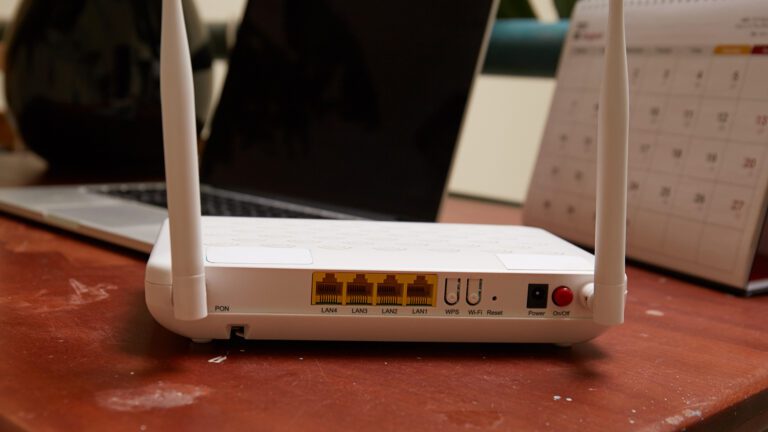
Our Wi-Fi.
Think about how much of your life passes through that little router. Our phones and computers connect to it, but so do televisions, doorbells, cameras, thermostats, printers, gaming systems, and all those smart devices we keep adding to our homes. If you work from home, your business may be coming through that same connection too.
So how do we protect it? We start with a little common sense.
Give your Wi-Fi a strong, unique password, and make sure your router’s administrator password isn’t still the one it came with. Keep your router updated, and if it’s old enough that it no longer receives security updates, it’s probably time to replace it.
I also recommend setting up guest Wi-Fi. Friends and family can still get online, but they don’t necessarily need to be on the same network as the computer you use to pay bills, access financial accounts, or run your business.
That same common sense should travel with us.
Take the free Wi-Fi at the coffee shop down the street. I use public Wi-Fi too, but when I do, I use a VPN (Virtual Private Network), which helps protect my internet connection and the information traveling across it. If I don’t have a VPN available, I’m careful about what I do on that network. Reading the news or checking the weather is one thing. Logging into my bank or working with sensitive customer information is another. For those situations, I’d rather use my phone’s cellular connection or personal hotspot.
One more simple step: turn on multi-factor authentication for your important accounts. That extra approval on your phone may feel inconvenient, but it can help keep someone out even if your password falls into the wrong hands.
None of this means we should be afraid of technology. Quite the opposite. Technology has given us opportunities and conveniences I couldn’t have imagined growing up in West Texas.
But I’ve learned that new technology still benefits from some old-fashioned wisdom.
Protect what has been entrusted to you. Be thoughtful about who you let in. Teach your children to do the same. And when something doesn’t feel right, trust that instinct and stop before you click.
We may not live in a world where everyone leaves the front door unlocked anymore. But our responsibility hasn’t changed. Take care of what’s on the other side of the door, even when that door is your Wi-Fi.
And if there’s a business on the other side of yours, there’s more to look after — that’s the part I do for a living. If you’d like to keep your business your business, give me a call and we’ll see how we can help.
At CMIT Solutions of Northwest DFW, we work with small and mid-sized businesses in Trophy Club and the surrounding area that need reliable IT support without the overhead of an in-house tech department. Our goal is to keep your systems secure, your team productive, and your technology running — so you can stay focused on running your business. Give us a call at (817) 591-1633 or visit cmitsolutions.com/southlake-tx.
Any content, resident submissions, guest columns, advertisements, and advertorials are not necessarily endorsed by or represent the views of Best Version Media LLC (BVM) or any municipality, homeowners associations, businesses, or organizations that this publication serves. BVM is not responsible for the reliability, suitability, or timeliness of any content submitted, inclusive of materials generated or composed through artificial intelligence (AI). All content submitted is done so at the sole discretion of the submitting party.