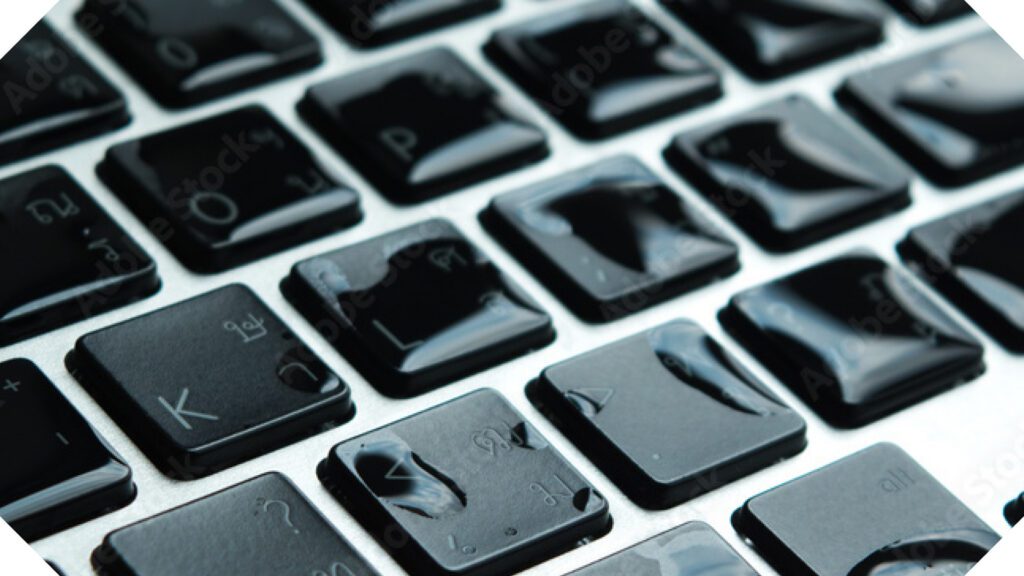
Whether it’s a spilled cup of coffee, an unexpected rainstorm, or a phone into the sink, liquid damage is one of the most common causes of electronic device failure. While many modern devices offer some level of water resistance, no electronic device is completely waterproof. Knowing what to do in the first few minutes can significantly improve the chances of saving your device.
The first step is to remove the device from the liquid as quickly as it is safe to do so. If it is plugged into a power source, disconnect it if possible. If it is battery-powered, turn it off immediately. Continuing to use or charge a wet device can create electrical shorts that permanently damage sensitive internal components.
Next, remove any accessories such as the case, charging cable, memory card, or SIM card, and gently dry the exterior with a soft, lint-free cloth. Avoid using hair dryers, heat guns, or placing the device in direct sunlight. Excessive heat can damage batteries, displays, adhesives, and other delicate parts.
One of the most common pieces of advice is to put a wet device in a bag of rice. Unfortunately, this is largely a myth. Rice may absorb a small amount of surface moisture, but it cannot remove water trapped inside the device. In fact, many modern electronics are built with seals, gaskets, and adhesives designed to keep liquids from getting in. Once water does make its way inside, those same protective features can also make it difficult for that moisture to escape. Rice cannot reach the liquid trapped beneath screens, inside connectors, or around integrated circuits, and rice dust can even find its way into charging ports and other openings.
The best course of action is to keep the device powered off and have it inspected by a qualified repair professional as soon as possible. This is especially important if the device was exposed to anything other than clean water, such as coffee, soda, saltwater, or other liquids that leave behind corrosive residue. Even after the visible moisture has evaporated, these contaminants can continue damaging the device over time.
It’s also important to resist the temptation to turn the device back on just to see if it still works. A device may appear to function normally while moisture remains trapped inside. Powering it on too soon can turn a repairable issue into permanent damage.
Liquid damage isn’t always immediately obvious. Corrosion can continue developing for days or even weeks after the incident, eventually causing charging problems, battery issues, display failures, or complete device failure. Having the device professionally evaluated and, if necessary, cleaned internally offers the best chance of preventing long-term damage and preserving your investment.
Any content, resident submissions, guest columns, advertisements, and advertorials are not necessarily endorsed by or represent the views of Best Version Media LLC (BVM) or any municipality, homeowners associations, businesses, or organizations that this publication serves. BVM is not responsible for the reliability, suitability, or timeliness of any content submitted, inclusive of materials generated or composed through artificial intelligence (AI). All content submitted is done so at the sole discretion of the submitting party.